使い方How to Use
TransWorks の基本的な使い方をご案内します。A quick guide to using TransWorks.
1アプリ紹介About TransWorks
- TransWorks は、言葉の壁を越える多言語チャットアプリです。TransWorks is a multilingual chat app that breaks language barriers.
- メッセージは、相手の母国語に自動で翻訳されて届きます。Messages are automatically translated into each recipient's language.
- 料金はルームのオーナーが払い、メンバーは無料です。The room owner pays; members use it for free.
2初期設定Getting Started
- アカウントを登録してログインします。Register an account and log in.
- チャットルームを作成します。Create a chat room.
- QR コードを表示して、メンバーに読み取ってもらえば招待完了です。Show the QR code and have members scan it to join.
3基本のやり取りBasic Messaging
- 母国語のまま入力して送信します。相手には相手の母国語で届きます。Type in your own language and send. It arrives in the recipient's language.
- メッセージをタップすると、翻訳して話します。Tap a message to hear the translation.
- ダブルタップすると、原文を読み上げます。Double-tap to hear the original.
- マイクで音声入力もできます。You can also use voice input with the mic.
- +ボタンから写真を添付すると、写真の中の文字も翻訳されます。Attach a photo with the + button, and the text in it gets translated.
- OCR テキストをタップすると、全文を表示できます。Tap the OCR text to see the full content.
4階層組織での伝達Hierarchical Communication
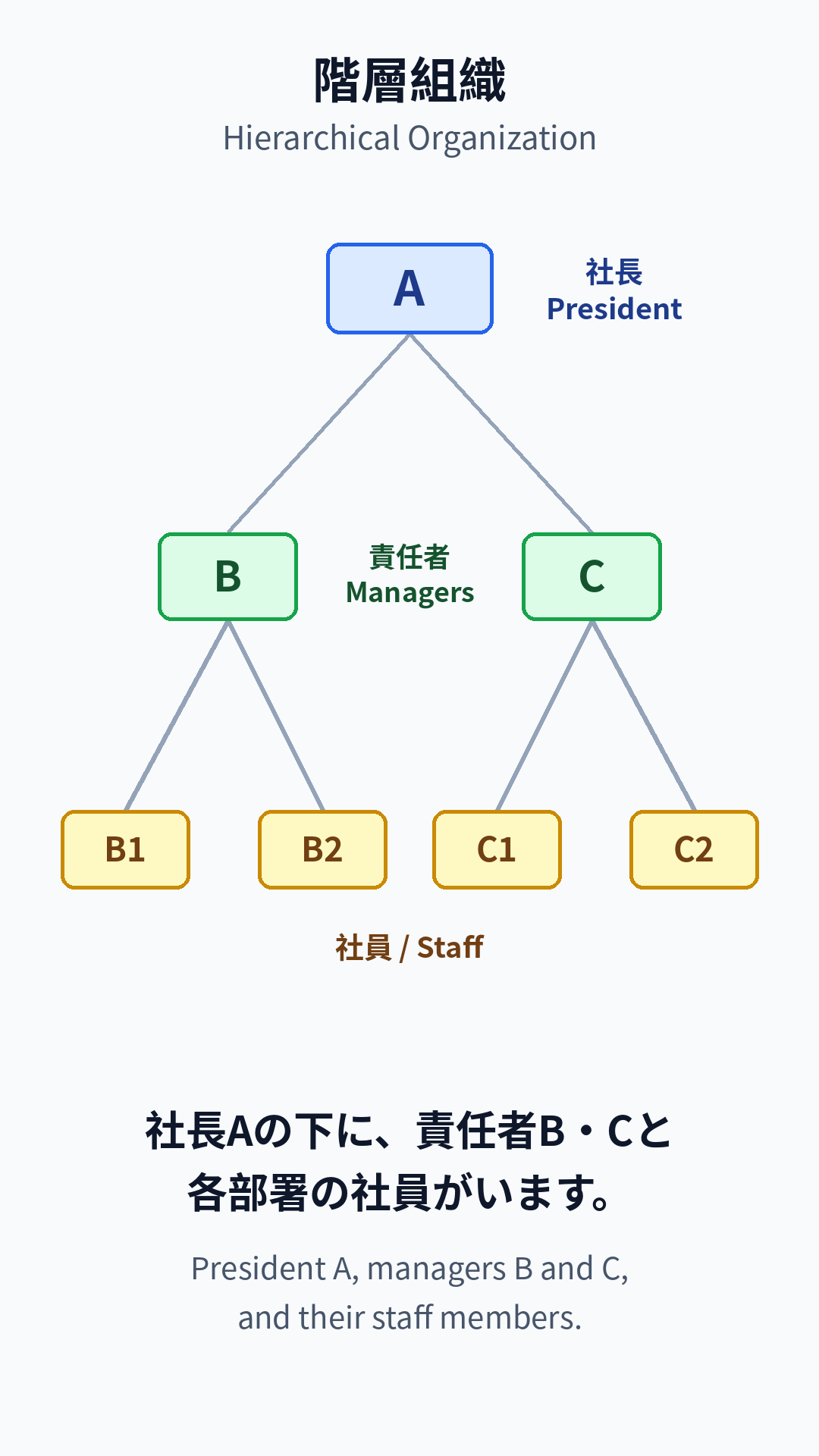
- 階層のある組織でも使えます。TransWorks works for hierarchical organizations too.
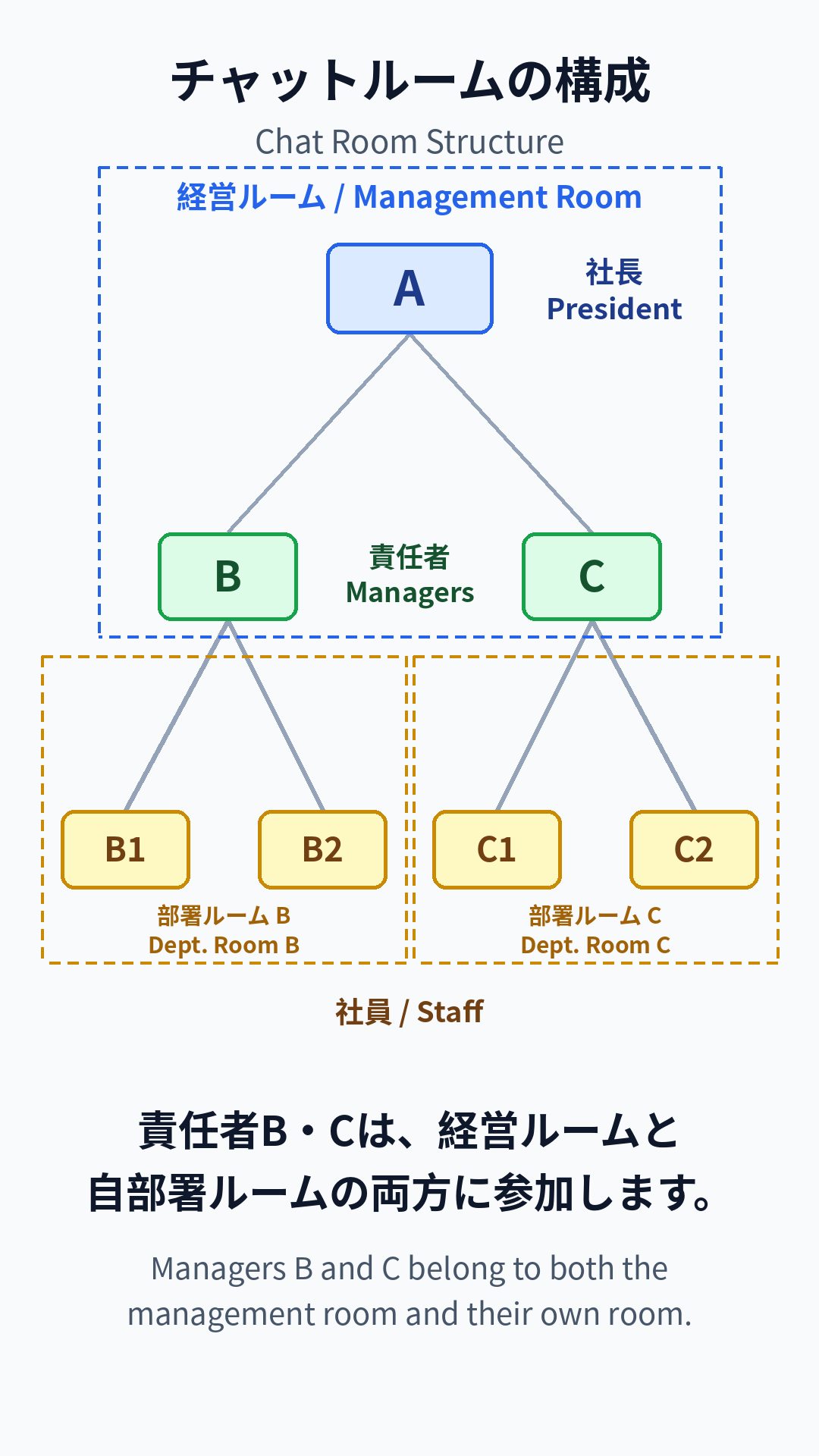
- 責任者は、経営ルームと自部署ルームの両方に参加します。Managers belong to both the management room and their own room.
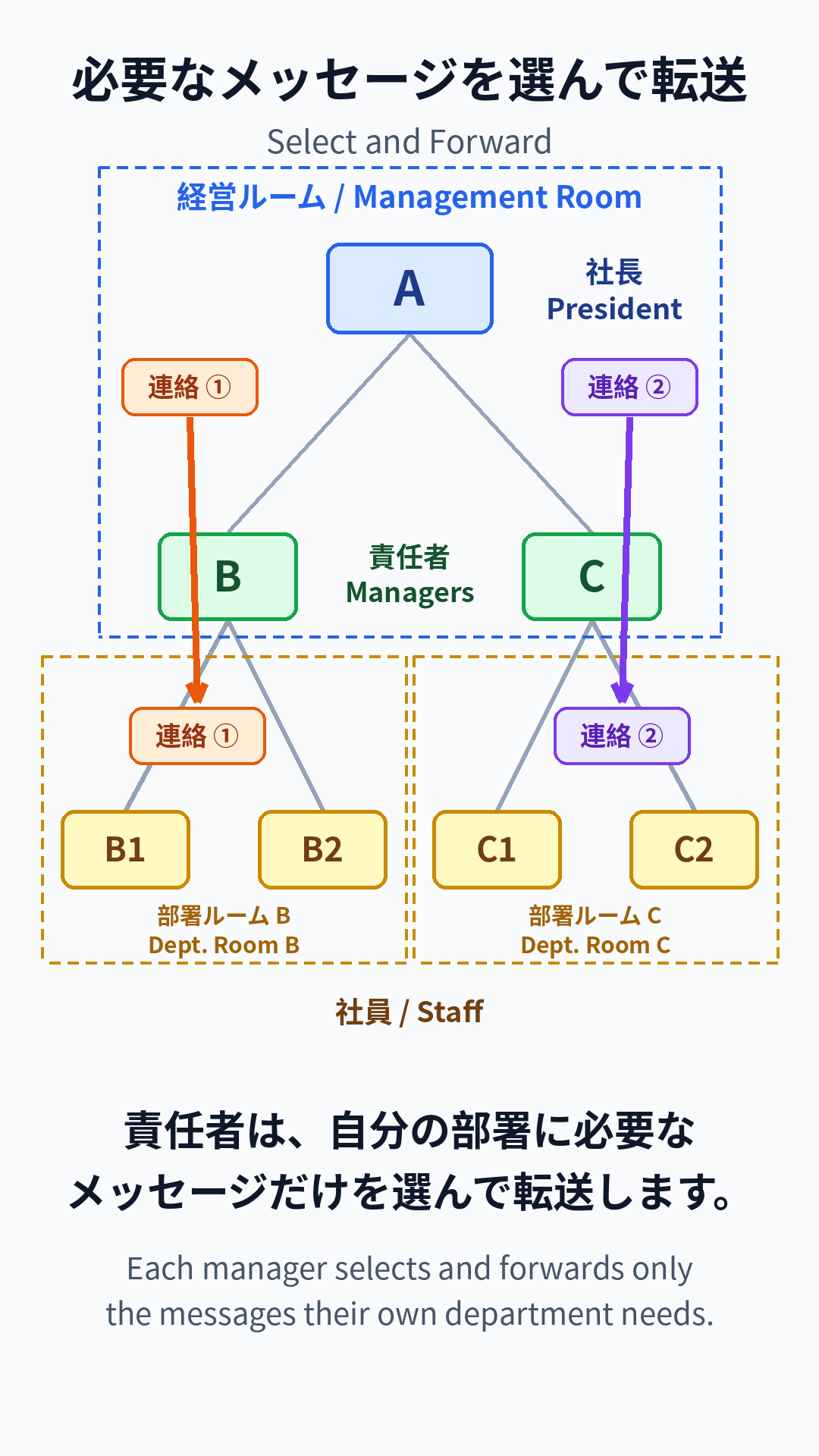
- 自分の部署に必要なメッセージだけを選んで転送できます。They forward only the messages their department needs.
- メッセージを長押しして「マイルームに共有」を選びます。Long-press a message and choose "Share to My Room."
- 元のメッセージは画像として残り、編集できません。翻訳も並んで表示されます。The original is kept as an image and cannot be edited. Translations appear alongside.
5お知らせAnnouncements
- 大事な連絡は、長押しして「お知らせに投稿」します。For important notices, long-press and choose "Post to Announcements."
- お知らせはタイムラインに流されず、メガホンからいつでも見られます。Announcements never scroll away — open them anytime from the megaphone icon.
- 投稿できるのはオーナーと管理者だけです。Only owners and admins can post.
6AI 機能AI Features
- ChatGPT タブでは、母国語で AI に質問できます。In the ChatGPT tab, ask the AI questions in your own language.
- 翻訳アイコンで、翻訳と音声のエンジンを切り替えられます(Google / ChatGPT / Gemini)。Use the translation icon to switch engines (Google / ChatGPT / Gemini).
7オーナーの管理Owner Management
- コインアイコンで、ポイント残高と利用履歴を確認できます。Tap the coin icon to check your point balance and usage history.
- ポイントはアプリ内で購入します。Buy points in the app.
- 管理者設定から、メンバーの管理ができます。Manage members from the admin settings.
8安心・読みやすさSafety & Accessibility
- ハラスメントを感じたら、画面をダブルタップ。透かし入りの記録が保存され、管理者にも送られます。If you experience harassment, double-tap the screen. A watermarked record is saved and sent to the admin.
- 背景を長押しすると、文字の大きさを変えられます。Long-press the background to change the text size.
- スピーカーをオンにすると、新しいメッセージを自動で読み上げます。Turn on the speaker to have new messages read aloud automatically.